

Does Duplicate Content Kill SEO? [Short and Clear Guidance]
Duplicate content is one of the most misunderstood and feared SEO topics. Many website owners, bloggers, and businesses still believe that duplicate content leads to a strict Google penalty, results in sudden ranking drops, or gets an entire website deindexed. While the truth is more nuanced, duplicate content can significantly affect your SEO performance—especially when not handled correctly.
In this complete, deeply informative blog by Hawkeye Digital Creators, we break down exactly what duplicate content is, how it affects your website, what Google officially says about it, and how you can fix and prevent it using proper SEO techniques.
What Is Duplicate Content?
Duplicate content refers to blocks of text or pages that appear in more than one place on the internet. “More than one place” means Google can access the same content through multiple URLs.
There are three major forms of duplicate content:
Exact Duplicate Content
This is when two or more pages contain identical content.
Example:
- example.com/page
- example.com/page/?source=article
Near-Duplicate Content
This includes content that is slightly changed but fundamentally the same.
Examples:
- Spun content
- AI rewritten content
- Product pages with minor variations (color, size)
Internal vs External Duplicate Content
- Internal duplicate content happens within the same website.
- External duplicate content occurs when the same content appears on different websites.
Does Google Penalize Duplicate Content?
This is one of the most common SEO questions. The truth is, Google does not give a manual penalty for duplicate content. However, it can still hurt your rankings because Google filters out duplicate pages and shows only one version in search results. So, it’s not a penalty—but it can still damage your SEO visibility.
Google’s Official Position
Google has repeatedly clarified that duplicate content is not inherently harmful or penalized unless it’s intentionally manipulative.
But here’s the catch:
SEO still suffers in many ways because of duplicate content:
- reduces crawl efficiency
- dilutes ranking signals
- causes indexing confusion
- triggers keyword cannibalization
- affects user experience
- weakens topical authority
So while there is no penalty, duplicate content absolutely harms SEO performance.
How Duplicate Content Affects SEO
Duplicate content affects several key areas of SEO and can gradually reduce a website’s visibility and performance. It influences rankings, crawl efficiency, indexing, and how Google understands your pages. Let’s break down these impacts one by one.

Keyword Cannibalization
When multiple pages target the same keyword with similar content, Google gets confused about which page to rank.
This leads to:
- Ranking fluctuations
- Lower overall visibility
- Wrong page ranking instead of the right one
Ranking Dilution
Google splits ranking signals between similar pages.
Instead of one strong page, you end up with:
- multiple weak pages
- none ranking effectively
Crawl Budget Waste
Googlebot has limited time and resources for crawling large websites. If duplicate pages exist, they consume an unnecessary crawl budget.
This leads to:
- Important pages not getting crawled
- Slow indexing
- Delayed updates
Indexing Problems
Duplicate content often results in:
- Google indexing the wrong version
- Canonical pages getting ignored
- Pages being treated as soft 404
- Wrong URLs appearing in SERP
Poor User Experience
Users may land on:
- less relevant pages
- outdated duplicates
- thin or repeated content
This hurts engagement metrics like:
- bounce rate
- time on page
- conversion rate
Types of Duplicate Content

To address duplicate content, you first need to understand where it comes from.
Internal Duplicate Content
This occurs within your own site. Common causes include:
CMS Issues
Sometimes WordPress or other CMS create:
- Archives
- Attachment pages
- Category pages
- Tag pages
These pages may duplicate the same blog content.
Pagination
Pages like:
?page=2, ?page=3 etc.
Often create duplicates without proper canonical tags.
Printer-Friendly Pages
Some websites have:
- /print/page.html
- /page.html
with the same content.
Trailing Slash Problems
Both:
- /page/
- /page
may get indexed.
HTTP vs HTTPS Duplicate
Both versions exist:
- http://example.com
- https://example.com
WWW vs non-WWW
Both versions like:
- www.example.com
- example.com
Google treats them as separate URLs if not redirected.
External Duplicate Content
This happens outside your website.
Content Scraping & Theft
Other websites steal your content.
Content Syndication
Publishing your article on:
can result in Google ranking their version instead of yours if not managed properly.
Common E-commerce Duplication
Manufacturers often provide identical descriptions to all sellers.
Near-Duplicate Content
This includes:
- Slightly modified content
- Spun text
- AI-paraphrased content
- Similar product pages
- Location-based pages with small changes
Google is very good at detecting near-duplicates.
How to Identify Duplicate Content
Duplicate content detection should be part of your regular SEO audits.
Manual Inspection
You can manually check:
- Similar URLs
- Content blocks
- Navigation paths
Tools to Detect Duplicate Content

Screaming Frog SEO Spider
Finds:
- Duplicate titles
- Duplicate meta descriptions
- Duplicate H1
- Duplicate content hashes
Siteliner
Scans your entire site for:
- Internal duplicates
- Similarity percentage
Copyscape / Grammarly Plagiarism Checker
Checks external duplicate content.
Semrush Site Audit
Shows:
- Duplicate pages
- Thin content
- Missing canonical tags
Google Search Console
Indexing ? Pages ? Excluded
Shows reasons like:
- Duplicate without user-selected canonical
- Duplicate, Google chose different canonical
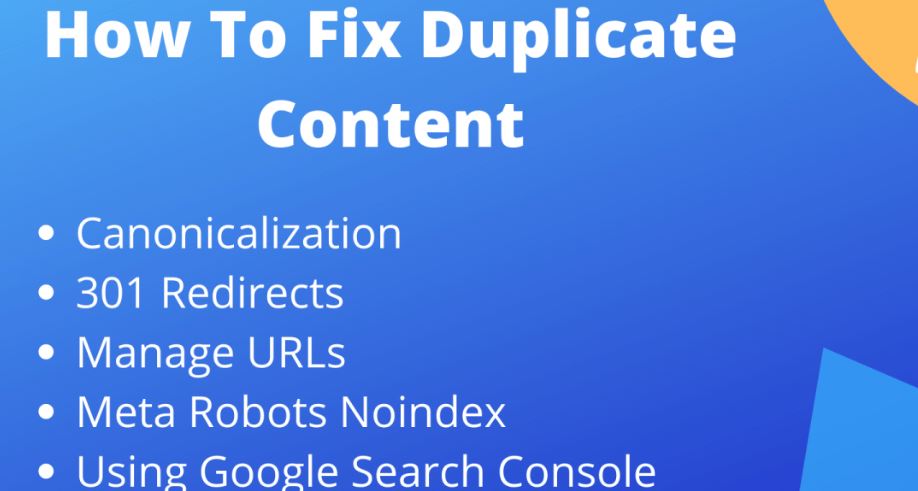
How to Fix Duplicate Content
Fixing duplicate content requires technical as well as content-level solutions.
-
Technical Fixes
Canonicals (rel=“canonical”)
Tell Google which page is the original.
Example:
<link rel=”canonical” href=”https://example.com/main-page” />
301 Redirects
Combine multiple duplicate pages into a single strong URL.
Noindex Tags
For pages like:
- category archives
- tag pages
- internal search results
Parameter Handling (GSC)
For parameterized URLs:
- sorting
- filtering
- session IDs
Manage via:
Search Console ? URL Parameters
Consistent URL Structure
Set:
-
- HTTPS preferred domain
- Trailing slash preference
- WWW vs non-WWW
Content Fixes
Rewrite Duplicate Pages
Make them unique, more detailed, or differently structured.
Combine Thin Pages
If multiple thin pages cover the same topic, merge them into one strong page.
Use Unique Product Descriptions
Avoid manufacturer content.
E-commerce Fixes
Faceted Navigation Control
Prevent filter pages from being indexed.
Canonical Category Pages
Point all variations to the main category URL.
Use noindex for Sorting Pages
Example:
- /shirts?sort=price
- /shirts?size=large
How to Prevent Duplicate Content
Prevention is better than cure.
Content Publishing Best Practices
- Always check plagiarism
- Avoid copying text from other websites
- Use internal linking smartly
- Maintain consistent on-page structure
Technical Best Practices
- Use 301 redirects for all canonical versions
- Avoid duplicate titles or headings
- Maintain unique meta descriptions
- Ensure your sitemap contains only canonical URLs
- Avoid indexing internal search pages
Does AI Create Duplicate Content?
AI-generated content often uses patterns trained from existing web content.
While it may not be exact duplication, near-duplicate risk is high.
To avoid AI duplication:
- add human insights
- insert examples
- use original date
- include custom images
- restructure paragraphs
FAQs
1. Does duplicate content kill SEO?
Not directly, but it weakens SEO by causing ranking dilution, cannibalization, indexing issues, and crawl budget waste.
2. Is there Google penalty for duplicate content?
No manual penalty unless it’s spam or manipulative.
3. How much duplicate content is acceptable?
Google allows some duplication, especially for:
- legal pages
- ecommerce filters
- printer pages
4. Does rewriting fix duplicate content?
Only if rewritten properly with new insights and unique structure.
5. Does using AI create duplicate content?
It can—unless edited with original input.
Conclusion
Duplicate content does not directly trigger a penalty from Google, but it absolutely harms SEO in many indirect yet powerful ways. It can reduce your rankings, confuse search engines, dilute keyword authority, sabotage your crawl budget, and deliver inconsistent user experiences.
As a brand focusing on professional SEO and digital growth, Hawkeye Digital Creators recommends maintaining a clean, well-structured content ecosystem with strong canonical signals, unique content creation, and robust technical SEO practices.
By keeping your content original, useful, and internally organized, you ensure that Google sees you as a trusted authority—helping your website rank higher, attract more traffic, and build long-term search success.


